Your Questions, Answered
We’ve assembled the most frequently asked questions about Eversense into one place. Got a question that you can’t find the answer to? Contact us.
You can find the Transmitter serial number by looking at the back side of the Transmitter. The serial number listed next to “SN”.
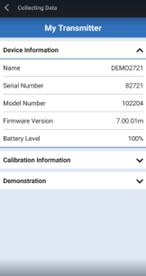
You can also find the Transmitter Serial number in the Eversense® 365 App that is connect to your Transmitter.
1. Tap Menu > About > My Transmitter > Device information to display the Serial Number
On the Main Menu, tap Connect or System Setup > Help me set up > I have a new transmitter. Tap and hold the name of your old smart transmitter. Tap OK to stop the app from automatically connecting with the old smart transmitter. Forget the old smart transmitter from your phone’s Bluetooth settings.
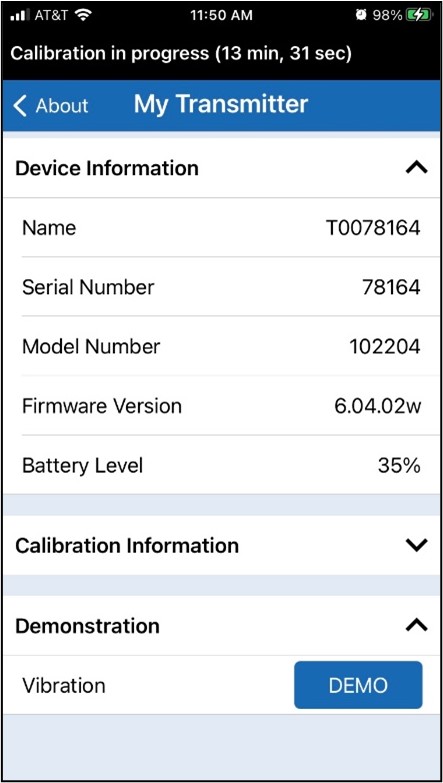
Yes. Go to About > My Transmitter and tap on DEMO under Demonstration. This will simulate the vibration pattern for a low glucose alert.
To ensure best performance, routine calibration is required using fingerstick readings from a blood glucose meter. DO NOT use alternative test sites such as your forearm when entering BG values for calibration. Any commercially available meter may be used for calibration. Once your sensor has been inserted and linked to your smart transmitter, the system begins a 24-hour Warm-Up Phase. No calibration is required during this phase.
There are three calibration phases:
Initialization Phase – After the 24-hour Warm-Up Phase, you must complete 4 fingerstick calibrations, spaced 2 to 12 hours apart.
1 Daily Calibration Phase – After the Initialization Phase, you must complete a fingerstick calibration every 24 hours for 13 days.
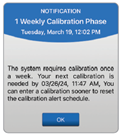
1 Weekly Calibration Phase – In the 1 Weekly Calibration Phase, you must complete a fingerstick calibration once a week.
On Day 1, no fingerstick calibrations are required for the first 24 hours.
Day 2 will require 4 calibrations within 36 hours for the initialization phase.
Then the Eversense® 365 requires one calibration per day from Day 3 through Day 13.
Beginning on Day 14, the sensor will only require one calibration per week thereafter for the life of the sensor.
On day 14 and beyond, after a successful calibration, you’ll be notified if the calibration frequency changes.
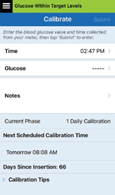
Additionally, the Calibrate screen (Menu → Calibrate) will always indicate the current phase that the system is in.
Still have questions?
The Eversense team is dedicated and ready to provide the answers and support you need. Simply click the link below.
The Eversense® 365 Continuous Glucose Monitoring (CGM) System is indicated for continually measuring glucose levels for up to one year in people (18 years and older) with diabetes. The system is indicated for use to replace fingerstick blood glucose (BG) measurements for diabetes treatment decisions. Fingerstick BG measurements are required for calibration one time a week after day 13, and when symptoms do not match CGM information or when taking medications of the tetracycline class. The sensor insertion and removal procedures are performed by a health care provider. The Eversense 365 CGM System is a prescription device; patients should talk to their health care provider to learn more.
For important safety information, see bit.ly/eversensesafety
Eversense, Eversense 365 Continuous Glucose Monitoring, and the Eversense logo are trademarks of Senseonics, Incorporated. All other trademarks are properties of their respective owners and are used solely for informative purposes. No relationship or endorsement should be inferred or implied.
Apple Watch® is a product of Apple, Inc., and may be separately purchased from an authorized Apple retailer. Apple Watch is not included with the Eversense CGM System. Android is a trademark of Google LLC.
MKT-001692 Rev 1


 Call My Eversense Specialist Now
 Schedule a Call