Your Questions, Answered
We’ve assembled the most frequently asked questions about Eversense into one place. Got a question that you can’t find the answer to? Contact us.
The Eversense® 365 Smart Transmitter carries a 12-month warranty. You should ensure you have arranged for a replacement transmitter at the end of 12 months.
Senseonics warrants to the original patient end user (“you”) of the Eversense® 365 Smart Transmitter that the Smart Transmitter shall be free from defects in material and workmanship under normal use for a period of one year (365 days) commencing on the date that you first received the Smart Transmitter from your health care provider (“Limited Warranty Period”). This warranty gives you specific legal rights, and you may also have other rights which vary from jurisdiction to jurisdiction. This limited warranty is made on the condition that you provide Senseonics with written notice of any defects in material and/or workmanship immediately upon discovery, and provided that Senseonics determines that your claim is due to defects in original material and/or workmanship. If Senseonics provides you with a replacement Smart Transmitter pursuant to the terms of this limited warranty, any remaining warranty on the original Smart Transmitter will transfer to the replacement Smart Transmitter, the warranty period for the replacement Smart Transmitter shall end on the one year anniversary of the date that you first received the Smart Transmitter from your health care provider, and this warranty will be void with respect to the original Smart Transmitter.
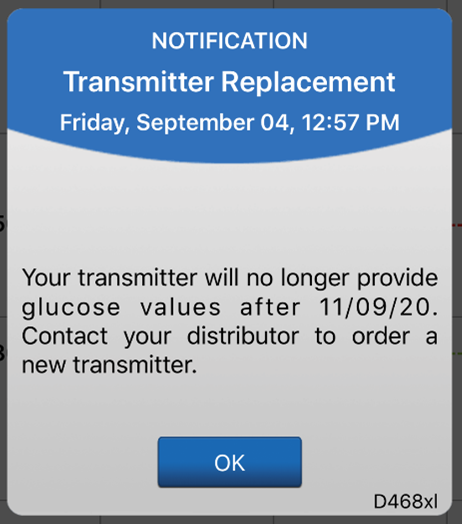
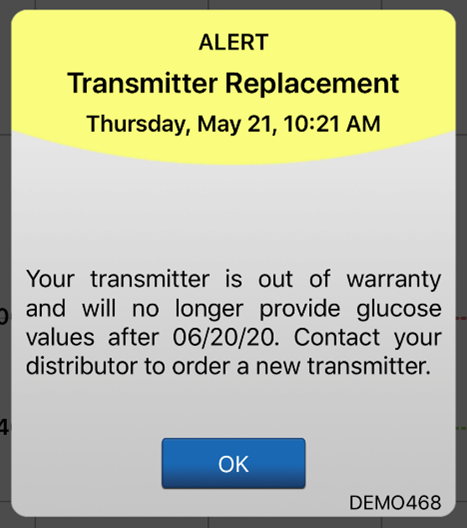
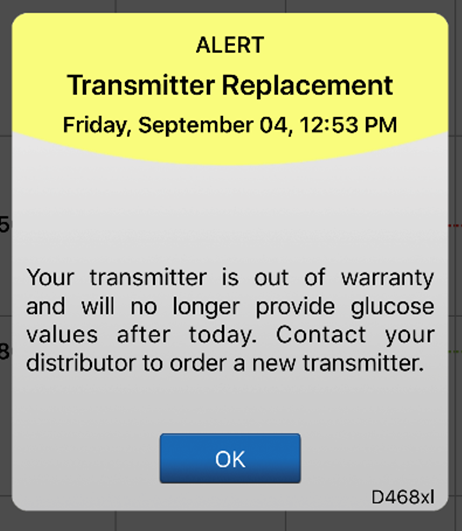
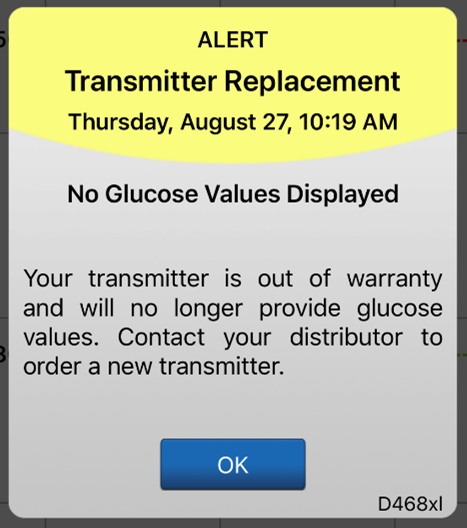
The system will send out a notification on day 330, and alerts on days 366, 373, 380, 387, 394, 395, and 396 reminding the user to order a new smart transmitter. After day 395, the smart transmitter will no longer be able to provide CGM data to you.
You can see your last calibration in one of two ways:
In the system Event Log (Menu → Event Log), the value and time of your most recent blood glucose calibration will be listed, and will be indicated by a red blood drop icon. If helpful, you can sort for only blood glucose entry events by tapping on the blood drop icon in the sort bar at the top of the screen.
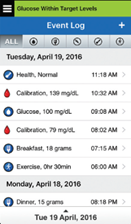
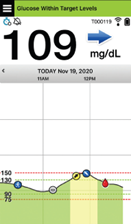
Secondly, your most recent successful calibration will be visible on your My Glucose Home Screen with a red blood drop.
If you do not have access to a blood glucose meter when you receive a calibration prompt:
In the 1 Daily Calibration Phase:
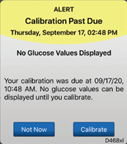
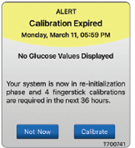
If you do not calibrate within 48 hours, the system will display a Calibration Past Due Alert and no glucose values will be available until a calibration value is entered. After 72 hours without a calibration value entered, the system will display a Calibration Expired Alert and the system returns to Initialization Phase.
In the 1 Weekly Calibration Phase:
If you do not calibrate within 8 days from the time of your last successful calibration, the system will display a Calibration Past Due Alert and no glucose values will be available until a calibration value is entered. After 9 days without a calibration value entered, the system will display a Calibration Expired Alert and the system returns to Initialization Phase.
Even with a non-adjunctive CGM system, you should always carry a blood glucose meter with you as you should always be prepared to take a blood glucose test when prompted for a calibration or when any of the following situations occur:
- Your symptoms do not match the glucose value displayed on your app
- No glucose value is displayed (during system initialization, for example)
- No trend arrow is displayed
- The current sensor glucose value is displayed in grey.
- Your system prompts you to use your BG meter for making a treatment decision in the app status bar
- You are taking medications of the tetracycline class
No. The best way for a user to support system accuracy is to calibrate as prompted and to always calibrate the system using only a fingerstick blood sample. DO NOT calibrate at times when glucose may be rapidly changing (e.g., after meals, after dosing insulin). DO NOT use a blood glucose reading from an alternative site (such as forearm or palm) to calibrate the system.
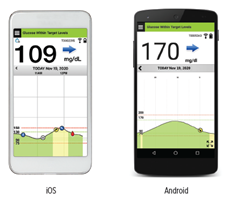
The Eversense® 365 App is a software application that runs on a mobile device (e.g., smartphone or tablet) and displays glucose data in a variety of ways. It also provides alerts based on the glucose settings you choose.
The Eversense® 365 App screens layout will vary based on your mobile device’s model and/or operating system.
Still have questions?
The Eversense team is dedicated and ready to provide the answers and support you need. Simply click the link below.
The Eversense® 365 Continuous Glucose Monitoring (CGM) System is indicated for continually measuring glucose levels for up to one year in people (18 years and older) with diabetes. The system is indicated for use to replace fingerstick blood glucose (BG) measurements for diabetes treatment decisions. Fingerstick BG measurements are required for calibration one time a week after day 13, and when symptoms do not match CGM information or when taking medications of the tetracycline class. The sensor insertion and removal procedures are performed by a health care provider. The Eversense 365 CGM System is a prescription device; patients should talk to their health care provider to learn more.
For important safety information, see bit.ly/eversensesafety
Eversense, Eversense 365 Continuous Glucose Monitoring, and the Eversense logo are trademarks of Senseonics, Incorporated. All other trademarks are properties of their respective owners and are used solely for informative purposes. No relationship or endorsement should be inferred or implied.
Apple Watch® is a product of Apple, Inc., and may be separately purchased from an authorized Apple retailer. Apple Watch is not included with the Eversense CGM System. Android is a trademark of Google LLC.
MKT-001692 Rev 1


 Call My Eversense Specialist Now
 Schedule a Call